 Areca Docs
Two-factor authentication and step-up
Set up the authenticator app, see how the agency admin requirement is enforced, and learn which actions ask for a fresh code and when the lockout applies.
Areca uses time-based one-time codes (TOTP) from an authenticator app as its second factor. Agency admins must use one. Two other mechanisms build on it: sign-in asks for a code when two-factor is on, and step-up asks for a fresh code before a small set of sensitive actions.
Set up two-factor
Open Account and find the Two-factor authentication section.
Start the setup. Select Set up two-factor. You may be asked for your password. If your account has no password because you sign in only with a provider, leave the field empty.
Add the account to your app. Scan the QR code with an authenticator app, or enter the Secret key by hand.
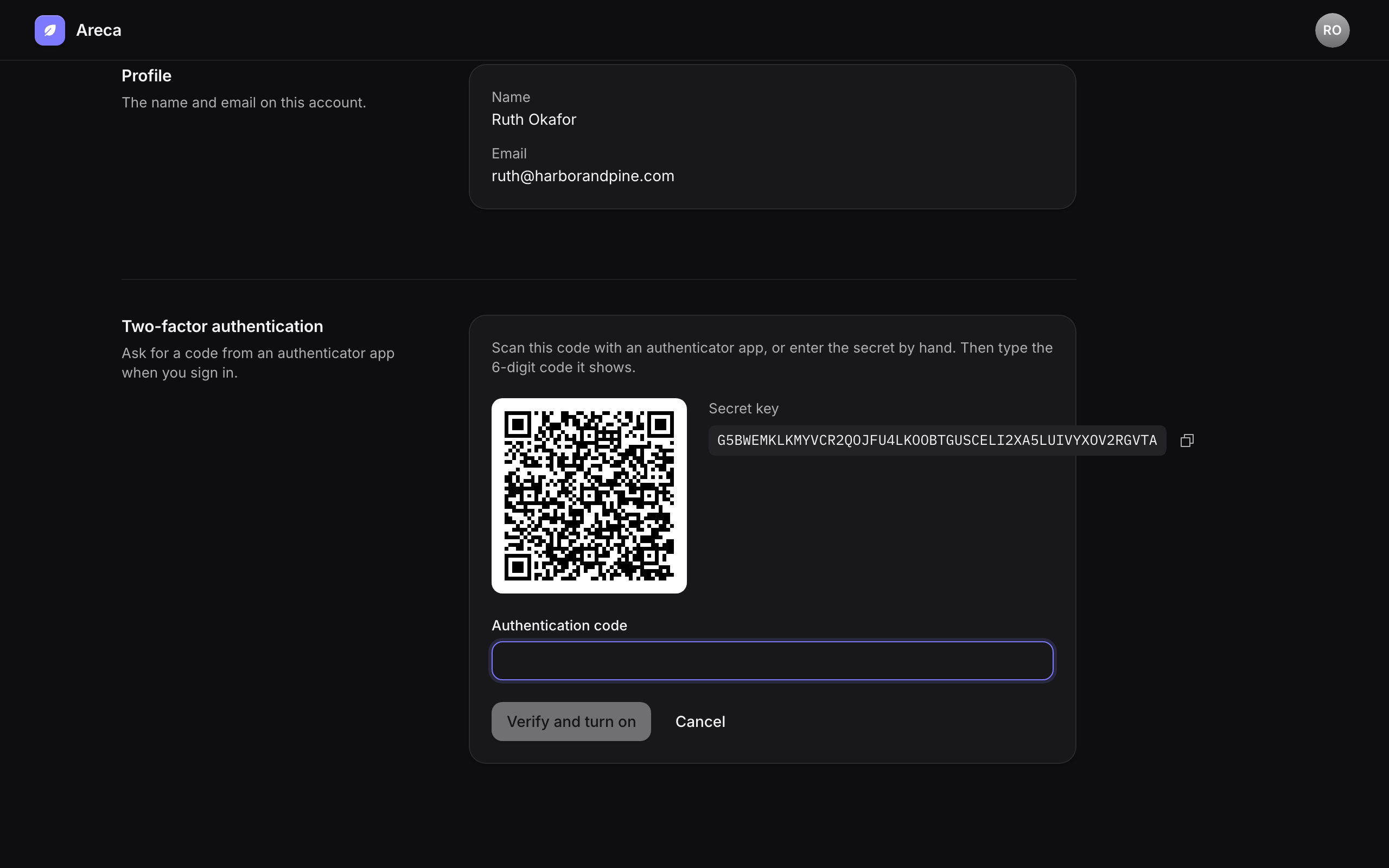
Confirm with a code. Type the 6-digit code the app shows, then select Verify and turn on.
Save the backup codes. Areca shows a set of backup codes once. Each one works once if you lose your device. Store them somewhere safe, then select I've saved them.
Select New backup codes on the same section to get a new set. Two-factor stays on.
Sign-in with a code
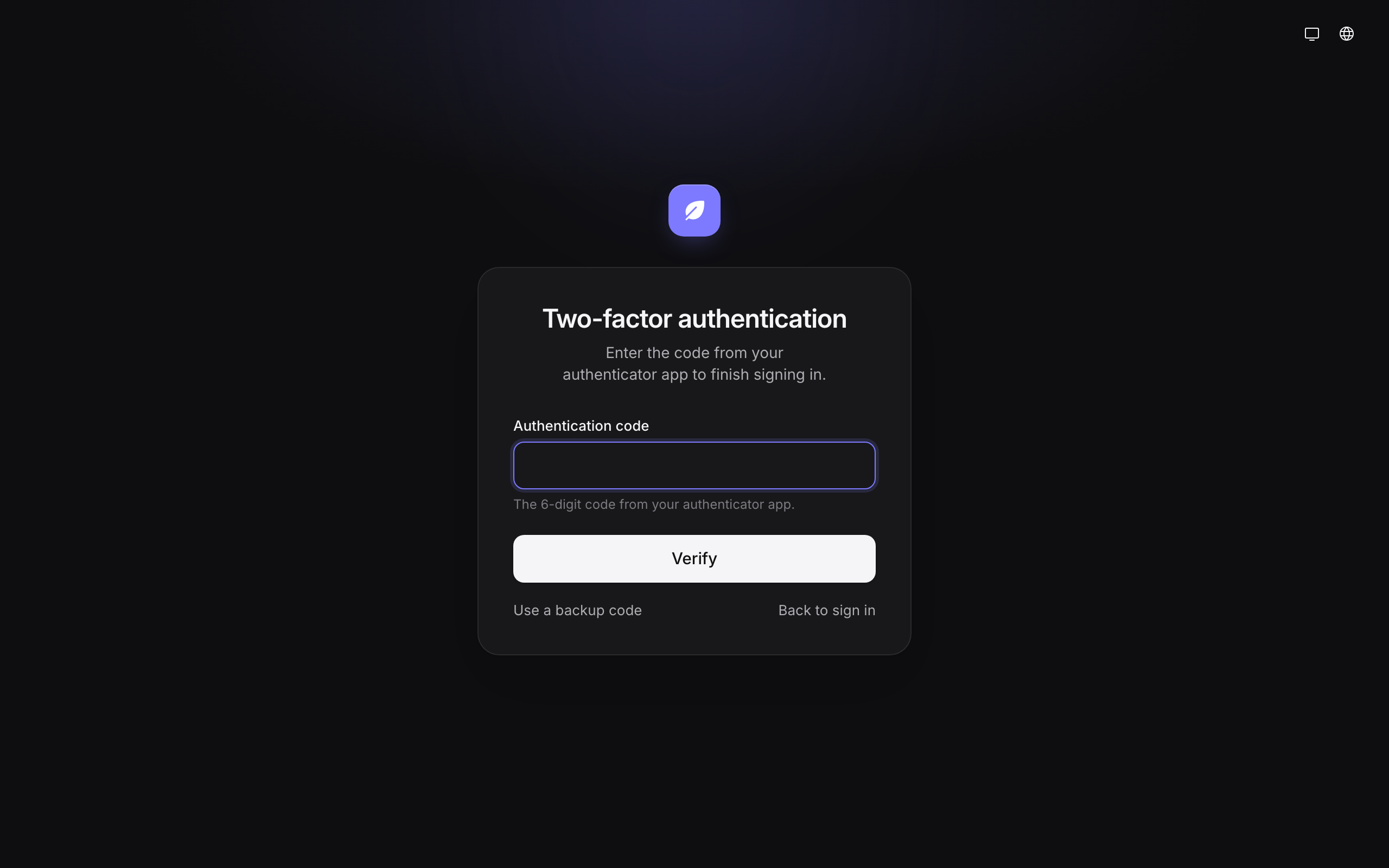
When two-factor is on and you sign in with an email and password, Areca asks for the Authentication code from your app. If you cannot use the app, select Use a backup code.
Sign-in with GitHub, Google, Discord, or Microsoft does not ask for an authenticator code. See social and single sign-on below.
Agency admins must have two-factor
The ADMIN_MFA_REQUIRED setting controls this rule. It is true by default. Set it to false only on an isolated development or test instance. When it is false, admins do not need two-factor enabled or a local factor proof to use admin functions. For an admin who has two-factor enabled, step-up freshness is measured from session creation or a successful step-up code; an admin without two-factor skips the second-factor step-up check.
When it is on:
- An agency admin without two-factor is sent to Account when they open the CMS, and cannot use the rest of it until they turn two-factor on.
- Every admin action checks the requirement on the server. If an admin's two-factor is off, the action fails with a message that two-factor is required, and the CMS points them to the Account page.
Turning two-factor off as an agency admin is not blocked in the interface. The Turn off button is shown to every user with two-factor on, including agency admins. Your next admin action will fail until you turn it back on, so agency admins should keep two-factor on.
Changing two-factor settings, including turning it off, asks for your password. If your account has no password, Areca asks you to have signed in within the last 10 minutes instead.
Step-up: a fresh code for sensitive actions
Some actions need proof that you are still the person at the keyboard, not just someone with an open session. For these actions, Areca asks you to Confirm it's you and enter a code from your authenticator app.
These actions require step-up:
- Delete a client.
- Create a site, and delete a site.
- Rotate a site's token or schema-write token.
- Save or remove a client's deployment credentials.
- Save a new AI API key, or remove the stored one.
- Make someone an agency admin, or remove that status.
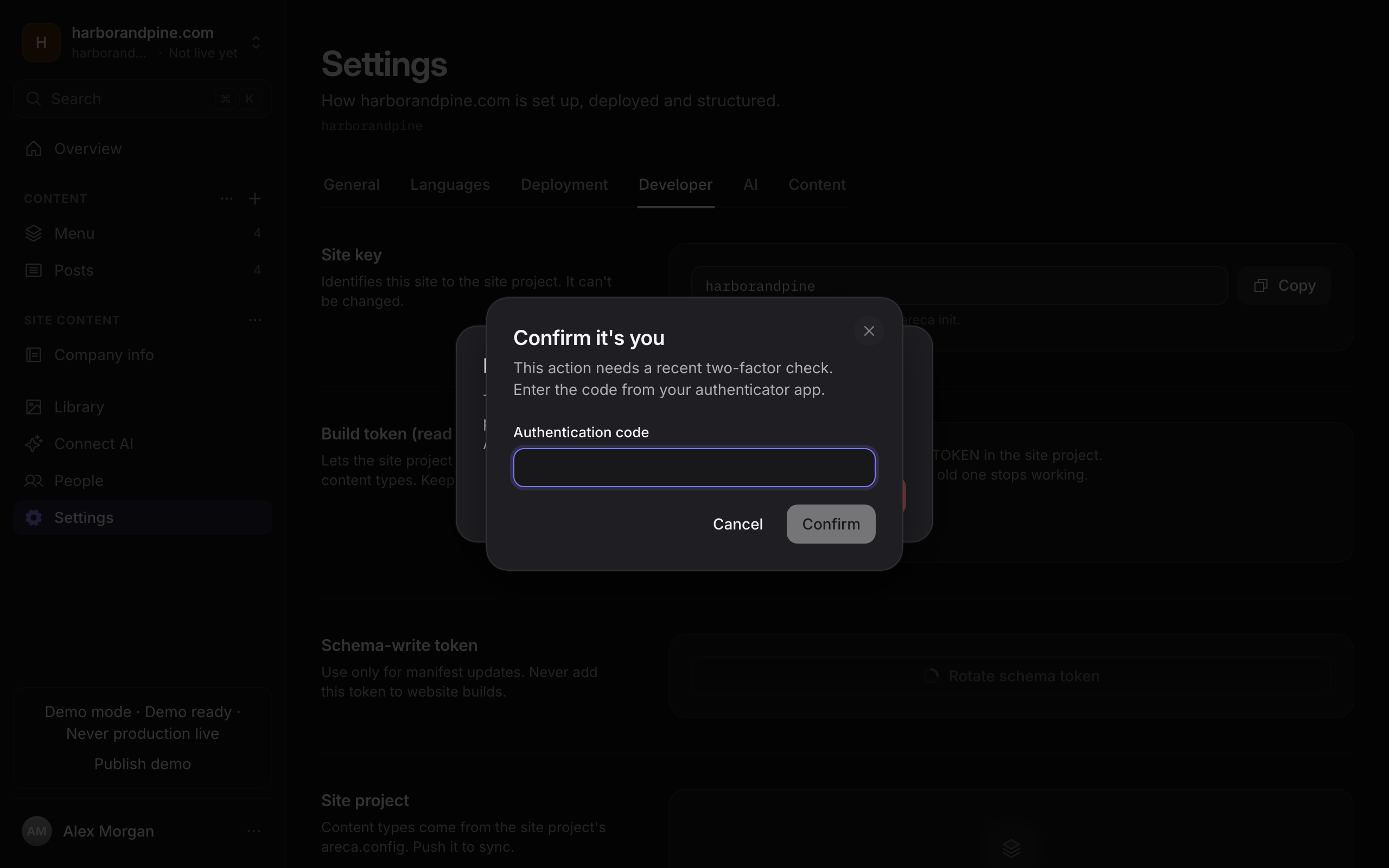
With ADMIN_MFA_REQUIRED on, step-up checks when your local factor was verified in this session and when you last confirmed a step-up code:
- A local TOTP or backup-code verification counts as fresh for 10 minutes. A new session, including one started by signing in with a provider, is not itself local factor proof.
- Confirming a code in the step-up dialog makes the session fresh again for 10 minutes.
- After 10 minutes, the next step-up action asks for a code.
Provider sign-ins do not prove a local factor
Signing in with GitHub, Google, Discord, or Microsoft does not create the local factor proof required when ADMIN_MFA_REQUIRED is on. An agency admin must verify a TOTP or backup code for that session before using admin functions; a sensitive action can ask for another code when that proof is older than 10 minutes. When ADMIN_MFA_REQUIRED is off, enrolled admins’ step-up freshness instead starts from session creation.
Lockout after wrong codes
Step-up is locked for a user after 5 wrong codes in a row. The lock lasts 15 minutes and applies to that user across all sessions. While it lasts, the CMS does not check codes and answers "Too many wrong codes. Try again in a few minutes." A correct code entered before the lock starts clears the count.
The lockout applies to the step-up check only. Requests to the sign-in and two-factor endpoints are limited separately; see rate limits.
Social and single sign-on
Sign-in with GitHub, Google, Discord, or Microsoft Entra ID does not ask for the CMS authenticator code. For admin access while ADMIN_MFA_REQUIRED is on, however, the provider sign-in does not count as local factor proof; the admin must verify a TOTP or backup code in that session. The consequences are:
- A person who signs in with a provider is not asked for a code at sign-in, even if two-factor is on for that account.
- The agency admin requirement still applies. An agency admin's account must have two-factor on and a local factor verified in the current session before using admin functions.
- Step-up freshness is based on that session's local factor proof (or a recent step-up code), not the provider sign-in time.
Configure these providers on the server. See authentication.
Related
- Roles and permissions
- Permissions matrix
- Rate limits
- Secrets and encryption covers the
BETTER_AUTH_SECRETsetting, which affects two-factor secrets.
Permissions matrix
Every Areca action grouped by area, with the roles that can perform it and the actions that need a fresh authenticator code.
Tokens
The site, schema-write, preview, setup, metrics, invitation, AI app connection and personal AI tokens, what each one can do, where to store it, and how to rotate or revoke it after a leak.