 Areca Docs
Step 4: Send the content plan to the CMS
Add the schema-write token, run the manifest push and see the Posts collection appear in the Areca CMS.
In step 3 you wrote the plan on your computer. Now you send it to the CMS. This is called a push. After the push, editors see a Posts section with a form that matches your plan.
A push needs a second token, the schema-write token. It can change the content plan, so it is more powerful than the site token. Keep it on your computer only.
4.1 Copy the schema-write token
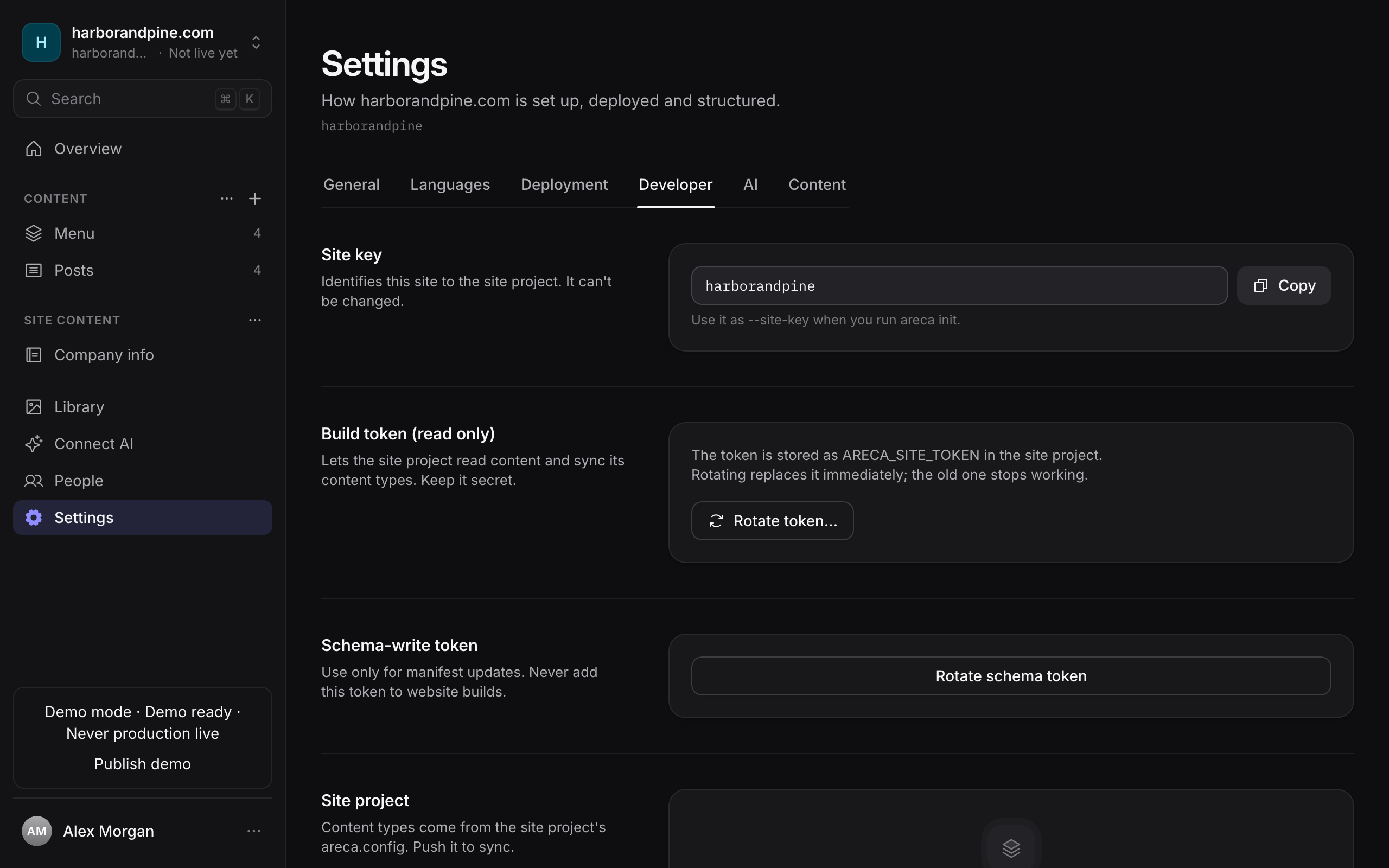
In the CMS, open the site's Settings, then the Developer tab. Find the Schema-write token section.
If you can see a token you can copy, copy it. If it was never shown to you, select Rotate schema token and copy the new token straight away. It is shown once.
4.2 Add the token to .env.local
Open .env.local in your project and add this line at the end. Paste your own token in place of the text:
ARECA_SCHEMA_TOKEN=paste-your-schema-write-token-here4.3 Push the plan
Run the script that init added:
pnpm sync-manifestThe command reads areca.config.ts and sends it to the CMS. When it finishes without an error, the plan is in the CMS.
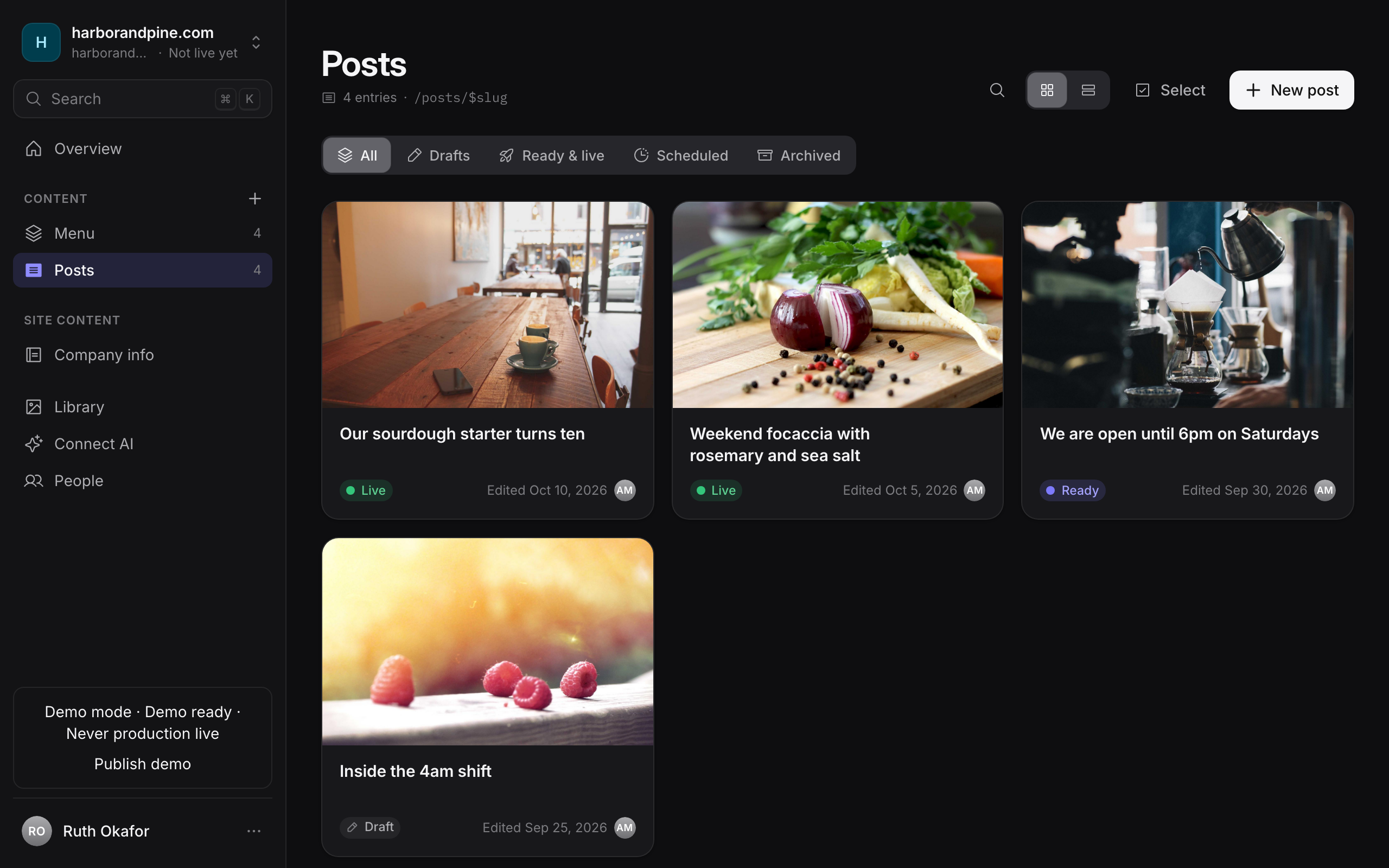
You should now see the Posts collection in the CMS. Open the site in the CMS. Posts appears in the site's sidebar, and its page has a New entry button.
A push changes the whole plan
A push makes the CMS match your file. Any collection you leave out of areca.config.ts is turned off, and its entries stop going live. For this guide the file has only posts, so that is what you want. Later, when you add a collection, keep the existing ones in the file.
If something went wrong
- The push fails and says the schema token is missing. Check that
.env.localhas theARECA_SCHEMA_TOKENline, and that there are no spaces around the=. - The push fails with an authorization error. You probably pasted the site token. The two tokens are different. Use the Schema-write token.
- Posts does not appear. Check that
areca.config.tslistspostsinsidecollections, then runpnpm sync-manifestagain and refresh the CMS. - Never put the schema-write token in your website's code or in its build settings. Only use it on your own computer.